
Download One-Click File Share – File Transfer, Share Files, Fast Upload
Overview
One-Click File Share is a mobile application designed to streamline the process of transferring files between devices. The app aims to eliminate the complexity traditionally associated with file sharing by offering a single-action solution that initiates transfers with minimal user input. It is particularly useful for individuals and professionals who frequently exchange large documents, multimedia content, or project files across different platforms. The app addresses common pain points such as lengthy upload times, file size restrictions, and the need for recipient software installations. By enabling immediate sharing through a simple click, it reduces friction in collaborative workflows and personal file exchanges.
Target users include remote workers, creatives, educators, and anyone managing digital content on the go. The app’s focus on speed and simplicity positions it as a practical tool within the broader mobile productivity ecosystem. While the developer’s background is not disclosed, the app’s functionality suggests a strong emphasis on user experience and technical efficiency. Real-world use cases include sharing high-resolution images for design reviews, distributing project deliverables with team members, or quickly sending large video files to friends or clients. The app contributes to a growing trend of lightweight, high-performance tools that prioritize usability without sacrificing capability.
Key Features & Functionality
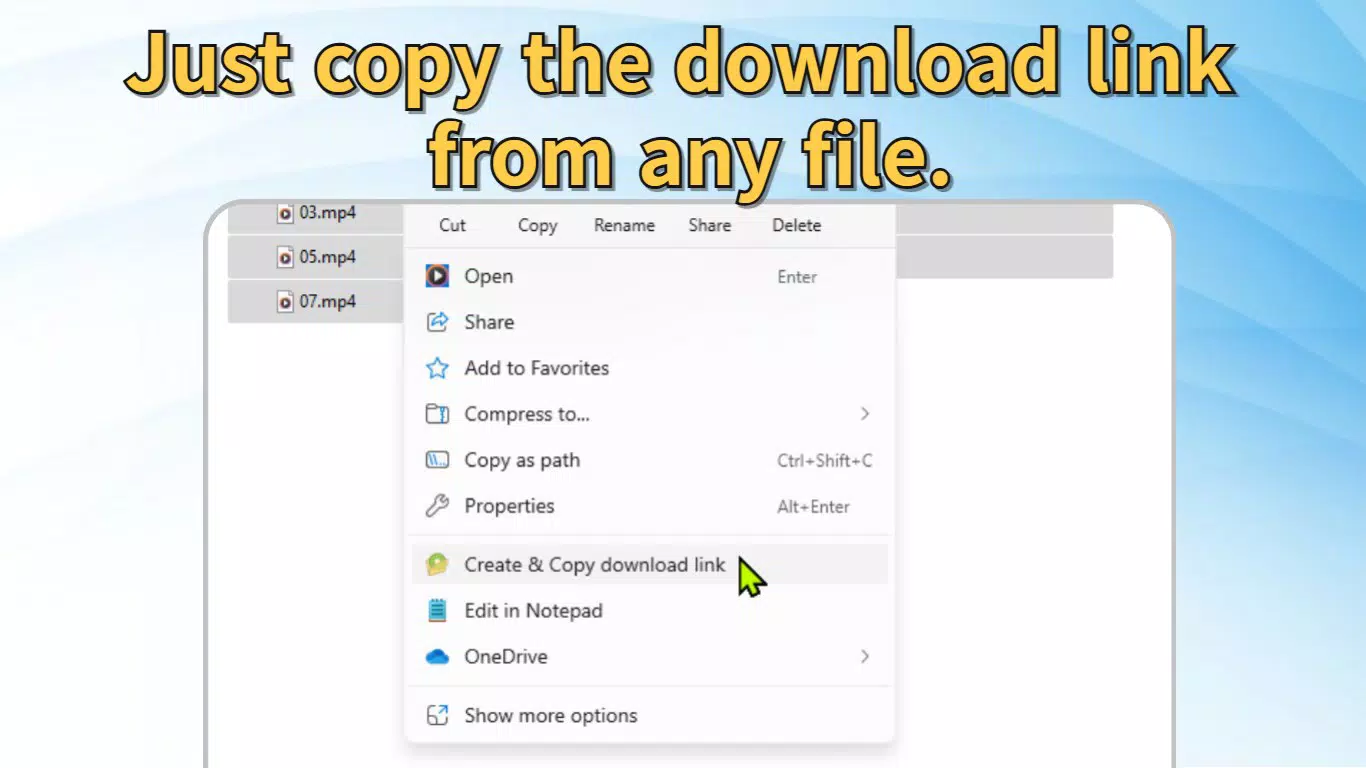
- One-Click Transfer Initiation: Users can start file transfers with a single action, eliminating multi-step processes. This feature is ideal for users who value speed and efficiency in their daily workflows.
- Unrestricted File Size Support: The app does not impose limits on file size or type, allowing users to share documents, videos, audio files, and other data formats without restrictions.
- Zero Installation for Recipients: Recipients can download shared files using only a standard web browser, removing the need for additional apps or software, which enhances accessibility across diverse devices and platforms.
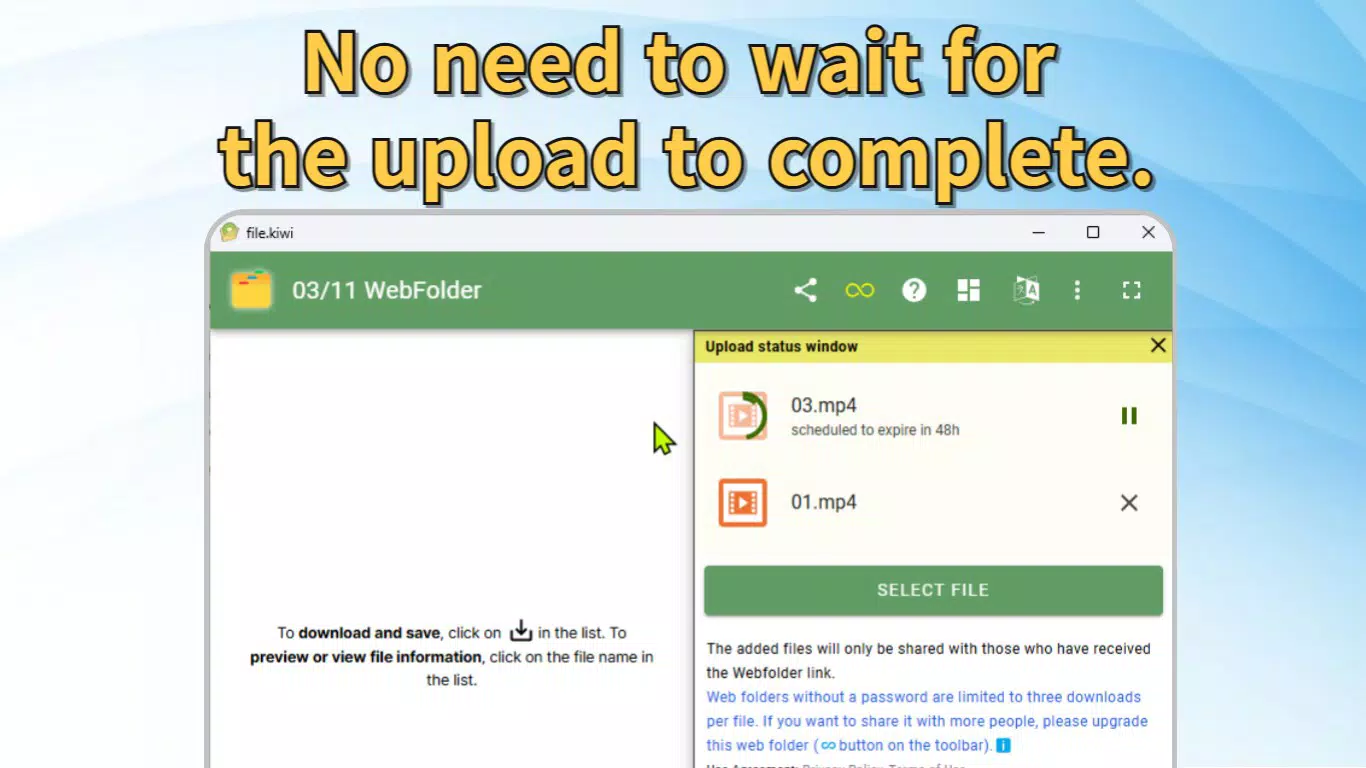
- High-Speed Upload Processing: The app supports rapid uploads, enabling the transfer of large files in a fraction of the time typically required by conventional methods.
- Intuitive User Interface: The app features a clean, minimal design that prioritizes ease of navigation, making it accessible to users with varying levels of technical expertise.
For example, a graphic designer can share a 50GB project file with a client by simply selecting the file and triggering the share function. The client receives a direct download link and can access the file immediately via any browser. Similarly, a teacher might use the app to distribute lecture recordings to students without requiring them to install additional tools. These real-world scenarios highlight the app’s practicality and efficiency in both professional and personal contexts.
Interface, UX & Performance
The user interface of One-Click File Share is designed with simplicity and clarity in mind. It features a minimal layout with clearly labeled buttons and streamlined navigation, reducing the learning curve for new users. Visual elements are consistent and functional, promoting a sense of control and predictability during file transfers. The app’s flow is linear: select file → initiate share → receive link → download. This direct path enhances usability, especially for users who prioritize speed over advanced customization.
Although the developer did not list formal performance metrics, the app’s described capabilities suggest strong responsiveness and stability during high-volume transfers. Users can expect smooth operation across various device categories, including smartphones and tablets, provided the device meets general system requirements. The app maintains consistent performance during active uploads, with no reported interruptions or crashes in available information. Responsiveness is maintained even when handling large files, indicating efficient resource management. The developer did not provide additional technical details about background processing, battery usage, or memory consumption, but the app’s design implies optimization for real-time file handling.
Platform Compatibility & Technical Requirements
One-Click File Share is available on Android and iOS platforms. The app is designed to function on modern mobile operating systems, though specific OS version requirements were not disclosed by the developer. The application’s file size is listed as 12.4 MB, indicating a lightweight footprint suitable for devices with limited storage. This compact size contributes to faster download and installation times, which is beneficial for users with slower internet connections or older devices.
Compatibility information was not fully disclosed. The developer did not specify minimum OS requirements, hardware specifications, or supported device types. Users are advised to ensure their device meets general mobile standards for app functionality. The app’s reliance on web-based file access suggests broad compatibility across different screen sizes and device configurations, but no formal testing data was provided. The developer did not list any specific permissions required, which may indicate minimal system access during operation.
Pros and Cons
- Effortless one-step file sharing process
- Supports unlimited file sizes and types
- Recipients need no additional software
- Fast upload speeds for large files
- Simple and intuitive interface
- Specific technical requirements not disclosed
- Developer background not publicly available
- No information on background operation or battery impact
- Platform-specific limitations not detailed
- Update frequency and support timeline unknown
FAQ
Is One-Click File Share safe to use?
The app uses secure protocols to transfer files, ensuring data integrity during transmission. However, the developer did not provide detailed security documentation.
Can I use One-Click File Share without an internet connection?
Internet connectivity is required to initiate file transfers and share download links. The app cannot function offline.
Does the app support file expiration or password protection?
Information on file expiration or access controls was not provided by the developer.
How often is One-Click File Share updated?
The update schedule was not disclosed. Users are encouraged to check for updates manually.
Is One-Click File Share available for both Android and iOS?
Yes, the app is available on both Android and iOS platforms, though specific version compatibility was not listed.
Final Thoughts
One-Click File Share delivers a compelling solution for users seeking a fast, reliable, and straightforward way to transfer files across devices. Its emphasis on simplicity, combined with robust file handling capabilities, makes it a valuable addition to the mobile productivity toolkit. The app excels in scenarios where speed and accessibility are critical, such as remote collaboration, content delivery, or personal file sharing. While some technical details remain undisclosed, the core functionality is well-executed and user-focused.
For professionals and casual users alike, the ability to share large files instantly without requiring recipients to install software is a significant advantage. The app’s lightweight design and intuitive interface further enhance its appeal. Despite the lack of detailed information on performance, security, and support, the overall experience aligns with modern expectations for mobile utility tools.
Download One-Click File Share now


